New design: seed phrase generator fully operational
SeedAddress has a new design and is fully operational. Explore address search and the browser-based deterministic BIP39 seed phrase generator.

SeedAddress has a new design and is fully operational: address search, place selection, and seed phrase generation are working end to end. The refresh makes that path easier to follow, while keeping the recovery context visible before you use the result.
A clearer starting point
The home page now puts the generator within easy reach, with a terrain-inspired design that reflects how SeedAddress connects places and words. The main action goes directly to the generator, while another link explains how the process works. A short overview makes three practical details visible at a glance: supported phrase lengths, available languages, and generation in your browser.
The navigation has also been reorganized around the main task. The sticky header keeps the SeedAddress mark, language switch, theme control, and generator action available as you move through the page. On smaller screens, the same destinations move into a compact menu so the experience remains usable without a desktop layout.
The seed phrase generator flow
The generator is now presented as one clear form. Start with an address search in the generator, choose a place from the suggestions, and enter the password used for your deterministic derivation. You can then select a BIP39-compatible word count—12, 15, 18, 21, or 24—and the language for the mnemonic.
The address search and geocoding step resolves the selected place before the browser derives the phrase. After a successful submission, SeedAddress takes you to a dedicated result view where the words are initially hidden, can be revealed, and can be copied when you are ready. The reset action returns to the generator and clears the generated result from the active flow.
We checked the live website with a search for Merlion Park in Singapore. The search returned five suggestions, the selected location resolved to coordinates, and a test password produced a 12-word phrase. The address search issue has been resolved, and the complete generator journey is working again.
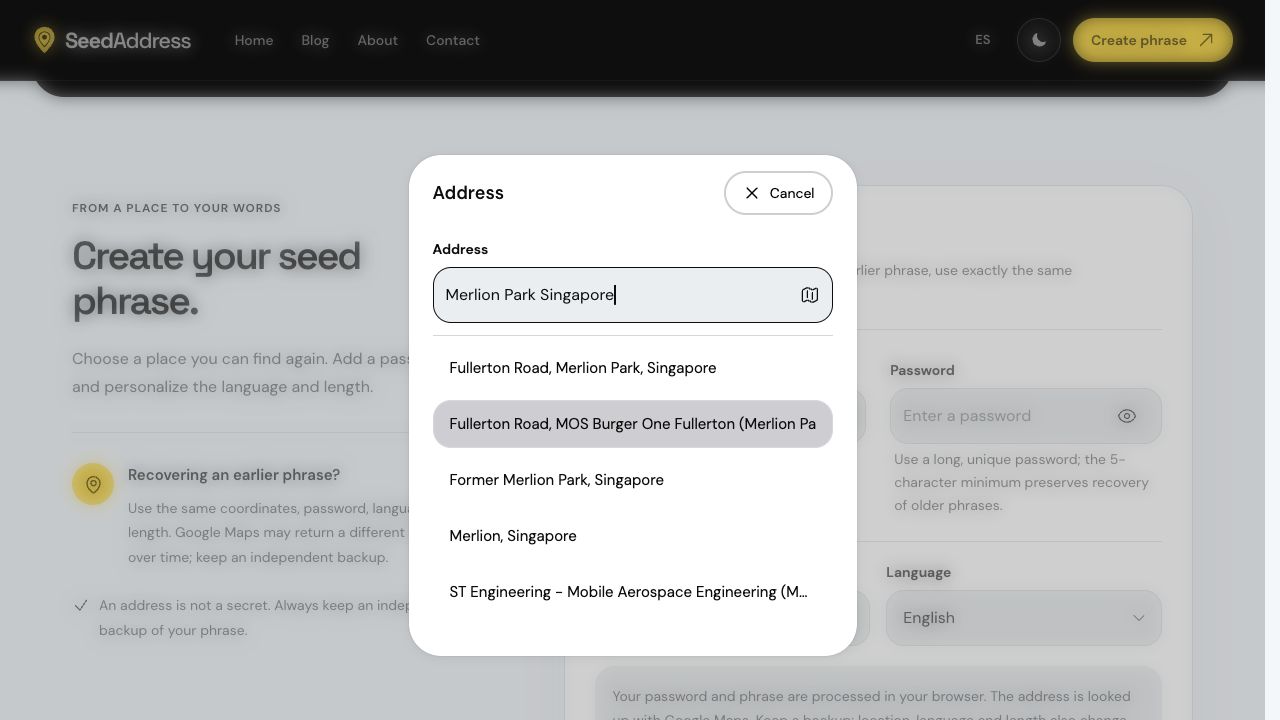
The new address search on the live website, with a public place used for testing.
The same method, clearer recovery guidance
The redesign makes the navigation and form easier to follow across screen sizes. The original deterministic derivation method is preserved: SeedAddress uses the selected coordinates, password, word count, and language to reproduce a mnemonic in the browser. The address is public information, and the result does not gain random entropy simply because it contains 24 words.
Recovery still depends on reproducing every input. Keep an independent offline backup and read how to recover a SeedAddress phrase before relying on the method. If you use a wallet's optional passphrase, learn how it differs from the SeedAddress password. Our About page explains the browser flow and its limits, and contact is available for questions about the redesign.
Try the new SeedAddress experience
The refreshed interface is ready to explore in English and Spanish. Start with the SeedAddress seed phrase generator, select a location, and review the recovery inputs before generating anything you intend to keep. The goal of this release is simple: make a deterministic tool easier to navigate, easier to inspect, and clearer about the conditions required for recovery.